


Would You Rather? The Game
3.55.02K Reviews
App Specs
- Version
- 1.0.38
- Updated On
- License
- Free
- Downloads
- 5,000,000+
- Developer
- TITANWARE S.L
- Categories
- Trivia
- Platform
- Android
Screenshots
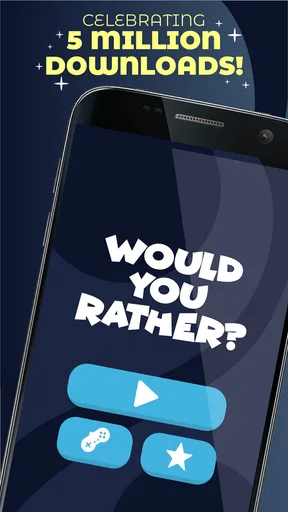
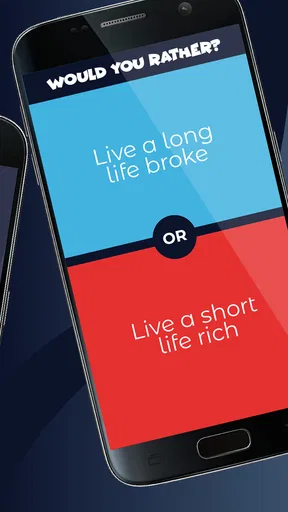
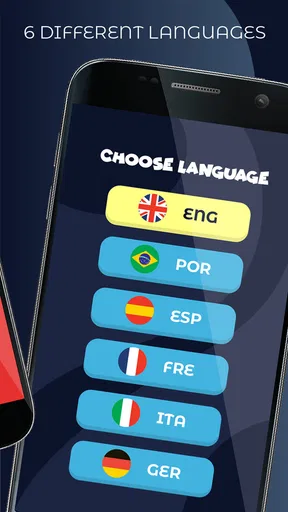
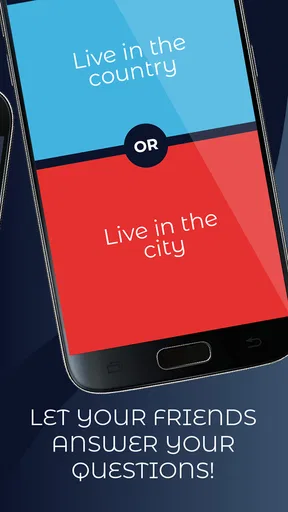
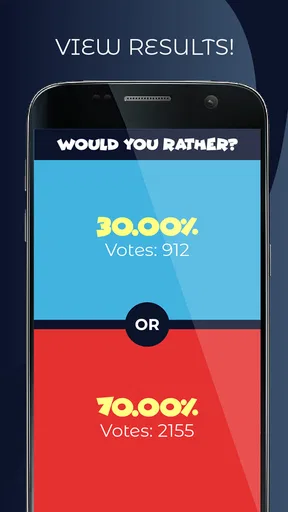
 Analysis by AppCompare
If you enjoy quick questions that turn a quiet moment into a conversation, Would You Rather? The Game is an easy place to start. I approached it as a casual trivia game rather than a deep, skill-based challenge, and that distinction matters: the main reward is not building a perfect score, but seeing how people react to difficult, funny, or awkward choices. It works best when you want something that can begin immediately, without learning a complicated ruleset.
The game is free to download and belongs to the trivia category. TITANWARE S.L developed it, and its simple “would you choose this or that?” format makes it familiar even if you have never played this particular version. The mature 17+ content rating is an important part of the decision, especially if you are looking for something suitable for children or a mixed-age family gathering. I would treat the rating as a reason to preview the experience before handing a phone to younger players.
Its public reception is mixed but substantial: it holds a 3.5 average from around 97 thousand ratings, with roughly 5 thousand written reviews, and has passed 5 million installs. That tells me it has reached a large audience, while the middle-of-the-road average suggests that the experience will depend heavily on your tolerance for repetition, the tone of the questions, and how you prefer to play trivia.
What the first session feels like
My first impression is that the game is designed around low friction. You are not entering a long campaign or trying to master a complicated board. Instead, each question creates a small decision point. You read both choices, pick the one you would rather live with, and then use the result as a prompt for discussion or the next question. That makes it particularly useful when friends are together but nobody wants to organize a full party game.
The strongest way to use it is socially. One person can hold the phone while everyone answers aloud, or each player can make a private choice before explaining it. The second approach is more interesting because it prevents the loudest person in the room from deciding the mood immediately. I also recommend asking people to explain their choice only after everyone has answered. That small change turns a basic prompt into a better conversation.
Played alone, it is more limited. You can still move through questions and test your own instincts, but the format naturally gains energy from disagreement. If you expect detailed trivia facts, timed rounds, or a competitive ladder, this may feel too lightweight. It is closer to a social question generator with a game wrapper than to a traditional knowledge quiz where correct answers demonstrate expertise.
The first meaningful success is not winning; it is getting a real conversation started. For a first-time user, that is a useful expectation to set before opening the game. If the first few questions lead to laughter, debate, or a surprising answer from someone you know well, the app is doing its job even without a formal achievement.
Worth Reading Before You Choose

Flipboard Shows What News Apps Must Do Beyond the Feed

Switching to Android Auto Means Rethinking Your Driving Routine

Google Calendar Makes a Crowded Week Easier to Manage

Ludo King Makes the Most of the Minutes Between Plans

Baby Panda World Brings Quick Play to Modern Phones, but Its Game Library Feels Busy

ESPN’s Live Game View Makes Following Close Games Easier
Starting without overthinking the choices
When a question appears, I would avoid searching for the “smart” answer. These prompts are built around preference, discomfort, imagination, or personal priorities, so there often is no objectively correct response. Choosing quickly makes the exchange more natural. If you spend too long analyzing every option, the game can lose the playful rhythm that makes it work.
A useful group rule is to allow a short pause, then require an answer. This keeps one difficult question from taking over the evening. For more thoughtful groups, you can allow a pass and return to the prompt later, but I would not make passing automatic. The tension between two imperfect options is often what produces the most memorable discussion.
Another practical tip is to separate “answering” from “judging.” Someone may choose an option that seems strange to you for a perfectly reasonable personal reason. If the group treats every answer as something to criticize, people will start choosing what sounds acceptable rather than what they genuinely think. The game becomes more enjoyable when disagreement remains curious instead of turning into an argument.
Getting through setup and the first round
The current version is 1.0.38, and it supports devices running Android 7.0 or later. That makes checking your device version worthwhile before you try to install it. I would also decide in advance whether the phone will stay with one host or move around the group. Passing a device after every question can slow the pace, while keeping it with one person makes the session smoother but gives that person control over what appears next.
Because the game is free, it is easy to try without committing money at the beginning. The presence of in-app purchases ranging from $5.49 to $45.99 per item means I would still look carefully at any purchase screen before confirming anything. A sensible first session is a no-spend test: play long enough to see whether the question style suits your group, then decide whether anything offered inside the game is genuinely useful to you.
For a first successful round, I suggest using three people rather than a very large group. With three, everyone has enough time to explain an answer, and you can quickly tell whether the prompts are entertaining for your particular audience. If the conversation becomes repetitive, change the format instead of immediately blaming the game. Ask everyone to defend the less popular option, or let the person with the most unusual answer choose who speaks next.
That workflow also answers a common first-time concern: do you need to understand a complicated scoring system before playing? No deep preparation is necessary. The important setup is social rather than technical. Agree on whether answers are public, whether explanations are required, and how the group will handle a question that feels too personal. Those decisions prevent awkward pauses later.
Where the mature rating changes the experience
The 17+ rating should influence where and with whom you use it. I would not assume that a familiar party-game format automatically makes every question appropriate for a school event, a workplace gathering, or a family living room. Even adults have different boundaries, and a prompt that seems funny to one group may be uncomfortable for another.
My practical advice is to keep the first session small and familiar. That gives you a chance to understand the tone before introducing it to guests or using it at a larger event. If you are hosting a mixed group, establish a simple rule that anyone can decline to answer without being pressured. This is not just good manners; it keeps the game from becoming a test of how much personal information someone is willing to reveal.
The mature rating also makes the game a weaker choice for parents searching for a child-friendly trivia activity. In that situation, I would choose a title specifically designed for younger players rather than trying to adapt this one after installation. The free price is convenient, but it does not change the age suitability.
How to make the questions work for real situations
Imagine a realistic use case: four friends are waiting for food at a casual restaurant, and conversation has stalled. One person opens the game and reads a question aloud. Everyone chooses privately, then reveals their answer at the same time. Instead of rushing to the next prompt, the group asks the person with the minority answer why they chose it. After a few rounds, the app has served its purpose without requiring a table, cards, a host, or a long explanation.
For a long car journey, I would use the same approach but rotate the reader when it is safe to do so. The driver should not handle the phone while driving. A passenger can manage the questions, and the group can use the choices as conversation starters between stops. This is a better fit than a fact-heavy quiz when people have different knowledge levels, because nobody is eliminated for not knowing an answer.
It can also work as an icebreaker, but I would be selective. In a new group, start with the least personal prompts and watch how people respond. If everyone answers briefly and avoids discussion, do not force a deeper exchange. The game is a tool for opening conversation, not a guarantee that strangers will become comfortable with one another.
One less obvious use is learning how a close friend makes decisions. Instead of treating every question as a joke, occasionally ask what value shaped the choice: convenience, loyalty, safety, ambition, comfort, or curiosity. This gives the game more staying power than simply tapping through prompts. It also helps explain why two people who agree on most things may repeatedly choose opposite answers here.
Common confusion about what counts as progress
Players coming from standard trivia apps may look for a right answer, a knowledge streak, or a clear path toward mastery. That expectation can create unnecessary frustration. In this format, the interesting result is usually the difference between people’s choices, not whether one answer is officially superior. If you want factual learning, a conventional quiz app will probably serve you better.
Another possible misunderstanding is assuming that more questions automatically means a better session. It does not. The value of each prompt depends on the people playing and the discussion around it. If the group is answering mechanically, stop for a minute and change the rules. Ask for reasons, let everyone vote on the most difficult choice, or use a question as a springboard to tell a related story.
You may also wonder whether it is suitable for solo play. It is possible to use it alone, but I would see that as a backup rather than the main reason to install it. The social reaction is where the format becomes distinctive. If you usually play trivia privately with headphones and prefer measurable performance, another category of game may be a more satisfying fit.
In-app purchases are another point worth handling calmly. Since the game is free to start, I would not buy anything during the first few minutes. First determine whether the basic question flow holds your attention and whether your friends actually want to play again. If the group only uses it once as an icebreaker, paying for extra content may not make sense. If it becomes a regular part of gatherings, you can evaluate any purchase on that basis rather than on impulse.
How it compares with familiar alternatives
Compared with a traditional trivia quiz, this game is more accessible because it does not reward a narrow store of facts. A person who dislikes being tested can still participate, and answers can reveal personality rather than academic knowledge. The trade-off is that you lose the satisfaction of improving through study and the clean feeling of getting a difficult answer right.
Compared with physical question cards, the phone is more convenient because you do not need to carry a deck or prepare a table. On the other hand, physical cards often make turn-taking clearer and can feel more social because everyone is looking at the same object. If your group dislikes screens during gatherings, cards may create a warmer atmosphere.
Compared with conversation prompts that are not presented as a game, this title adds a simple decision structure. That helps when nobody knows how to begin, but it can also make personal topics feel more abrupt. I prefer it for casual groups that want a little structure, not for a serious discussion where carefully chosen, open-ended questions would be more respectful.
Its 3.5 average is consistent with that trade-off. The format is appealing enough to attract a large audience, yet it will not satisfy everyone who downloads it. Some players will want more variety, a stronger competitive layer, or a more polished sense of progression. Others will appreciate that it does not demand much time or expertise. Your preferred alternative depends on whether you value conversation, competition, learning, or presentation most.
Small habits that improve repeat sessions
I would not run the game continuously for hours without changing the structure. Repeated choices can blur together, especially if everyone gives the same type of answer. A better routine is to play in short blocks, then take a break for normal conversation. This keeps the questions from feeling like background noise.
For a more balanced group, have each person nominate one answer they found hardest and explain why. This avoids letting the fastest reader or most outspoken player dominate. You can also keep a casual list of the questions that produced the strongest reactions, not as a formal score but as a way to remember which topics your group enjoys.
Be careful with sensitive subjects. A question may look harmless until it connects with someone’s real experience. If the mood changes, move on without demanding an explanation. The best use of a game like this is voluntary participation; turning a choice into social pressure defeats the reason to play.
I also recommend treating the app as a starter rather than the entire evening. After a particularly interesting question, put the phone down and let the conversation continue naturally. That is a more rewarding workflow than racing through every prompt. It also reduces the chance that the session will feel repetitive or overly dependent on the device.
Who should install it and who should skip it
I would recommend giving it a try if you want a free, immediately understandable trivia-style game for friends, dates, waiting rooms, or informal gatherings. It is especially suitable for groups with mixed interests because nobody needs specialist knowledge. The mature rating means adults should be the intended audience, and the simple format makes it approachable for people who do not usually play mobile games.
I would skip it if your priority is factual education, a deep single-player challenge, or a carefully structured competitive system. I would also avoid making it your first choice for children, formal workplace activities, or groups that dislike personal questions. In those situations, a family-friendly quiz, a cooperative board game, or neutral conversation cards would be a better match.
My final recommendation is to install it with modest expectations and test it in the right setting. Start with a few familiar adults, keep answers voluntary, and judge the experience by the conversations it creates rather than by the number of questions completed. The free entry point makes that experiment easy, while the mature rating and optional purchases are reasons to stay attentive.
After using it this way, I see Would You Rather? The Game as a practical social prompt with trivia packaging, not a replacement for a full quiz game. When the group wants quick choices and honest reactions, it can rescue a dull pause surprisingly well. When you need depth, precision, or a clear measure of skill, choose another kind of game. That boundary is the key to enjoying it: use it to get people talking, then let the people—not the app—carry the evening.
Pros
- Simple rules make it easy for anyone to start playing.
- Offers a quick way to break the ice with friends or family.
- Works well for parties
- road trips
- and casual gatherings.
- Questions can reveal fun
- surprising details about other players.
- Lightweight gameplay requires little setup or preparation.
Cons
- Some questions may feel repetitive after extended play.
- A few choices can be awkward for younger or sensitive players.
- The experience depends heavily on having an engaged group.
- Limited appeal if you prefer games with strategy or progression.
- Some content may not suit every age or social setting.
FAQs for Would You Rather? The Game
What is Would You Rather? The Game?
Would You Rather? The Game is a casual party and conversation app built around entertaining “Would you rather” questions. Players choose between two hypothetical options, then compare answers with friends or use the prompts to start funny, surprising, or thoughtful discussions. It is suitable for casual gatherings, road trips, parties, and relaxed sessions with people you know.
Can I play Would You Rather? The Game alone or with friends?
You can use Would You Rather? The Game both on your own and with other people, although the experience is generally more enjoyable in a group. Solo users can browse questions and consider their choices, while friends can take turns answering and explaining their decisions. The game works best when everyone is comfortable sharing opinions and keeping the conversation respectful.
Is Would You Rather? The Game appropriate for children?
The app may include questions covering different themes and age ranges, so parents should review the available content before allowing younger children to play. Some prompts can be silly and family-friendly, while others may involve mature, embarrassing, or uncomfortable topics. For family use, it is recommended that an adult supervise the game and skip questions that are not age appropriate.
Does Would You Rather? The Game require an internet connection?
Basic gameplay may be available without a continuous internet connection, depending on the app version and the question packs installed on your device. However, an internet connection can be required for downloading the app, receiving updates, accessing additional content, displaying advertisements, or using online features. Availability may also differ between Android and iOS versions.
Is Would You Rather? The Game free to download?
Would You Rather? The Game can generally be downloaded without an upfront charge, but the free version may contain advertisements, optional purchases, or locked question categories. Before installing, check the app store listing for the current pricing, in-app purchase details, privacy information, and supported devices. If you are playing with children, review purchase settings to prevent accidental transactions.


